Full guide
Dashboard
Your daily command center.
Real screenshot
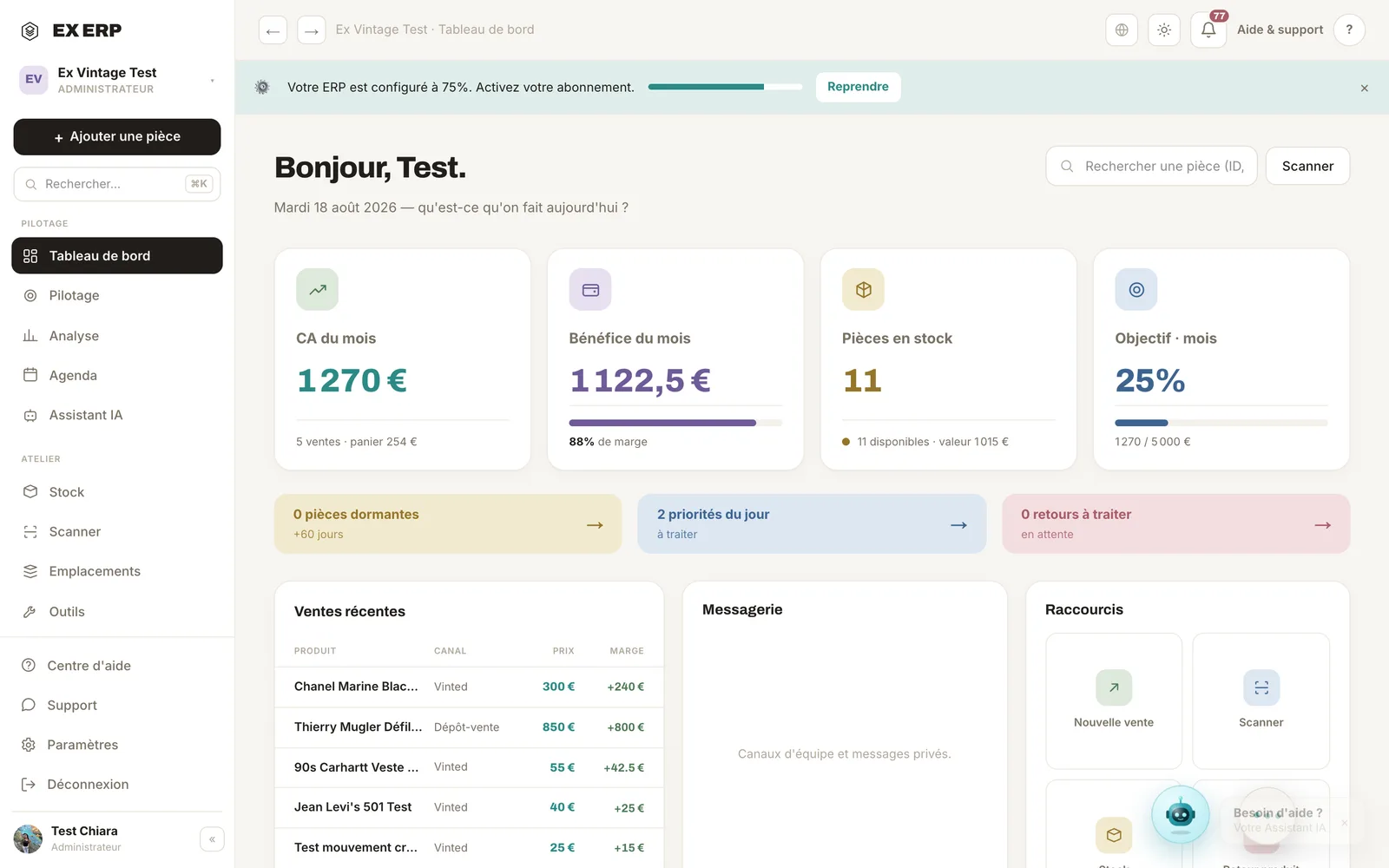
What each block is for
1
KPI cards
Monthly revenue, profit, items in stock and target.
Why
To take the pulse of the business in a second, without opening another page.
When to use it
Every morning, at start-up, to decide what to prioritize.
Best practice · Compare the trend "vs. last month" rather than the raw number.
2
Alerts & shortcuts
Dormant items, no price, no location, needs labeling.
Why
These oversights cost money: an item with no price won't sell, an item with no location gets lost.
When to use it
When a badge shows a number to handle.
Best practice · Aim for zero alerts by the end of the week.
3
Recent sales
The latest sales with channel and profit.
Why
To check at a glance that everything is properly recorded.
When to use it
After a Vinted selling session or a pop-up.
Best practice · Click a sale to open its details.
Related topics