Full guide
Inventory
The operational core — manage every item.
Real screenshot
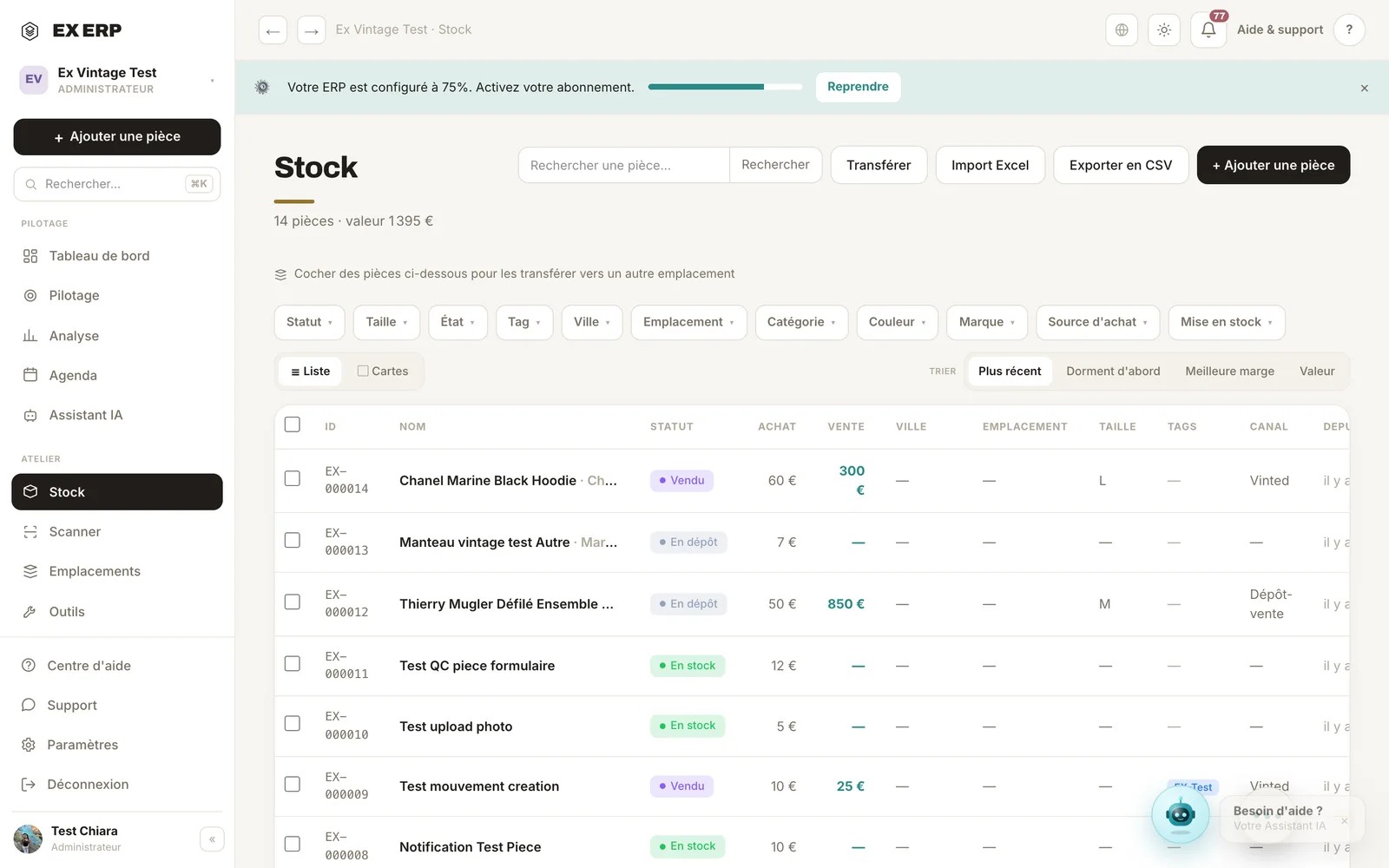
What each block is for
1
Search bar
Search by ID, name, brand, description, status, city, location or tag.
Why
It's the fastest way to find one item among thousands.
When to use it
As soon as you're looking for a specific item.
Best practice · Type the ID (EX-000xxx) for direct access.
2
Filters
Status, size, tag, city, location, date.
Why
To work on a subset: everything "in stock in Toulouse", for example.
When to use it
Before a bulk action or an inventory count.
Best practice · Combine filters then "Select all" to act in bulk.
3
Item row
One row = one unique item, with status, sale price and location.
Why
The dense list shows the most items without scrolling.
When to use it
To browse and spot things quickly.
Best practice · The colored dot shows the status at a glance.
4
Quick edit ⚡
Edit an item without opening the full record.
Why
Save time on frequent changes (status, price, location).
When to use it
When you're changing just one piece of information.
Best practice · For deeper edits, open the full record.
Related topics