Full guide
Rentals
Lend out stock items without ever selling them.
Real screenshot
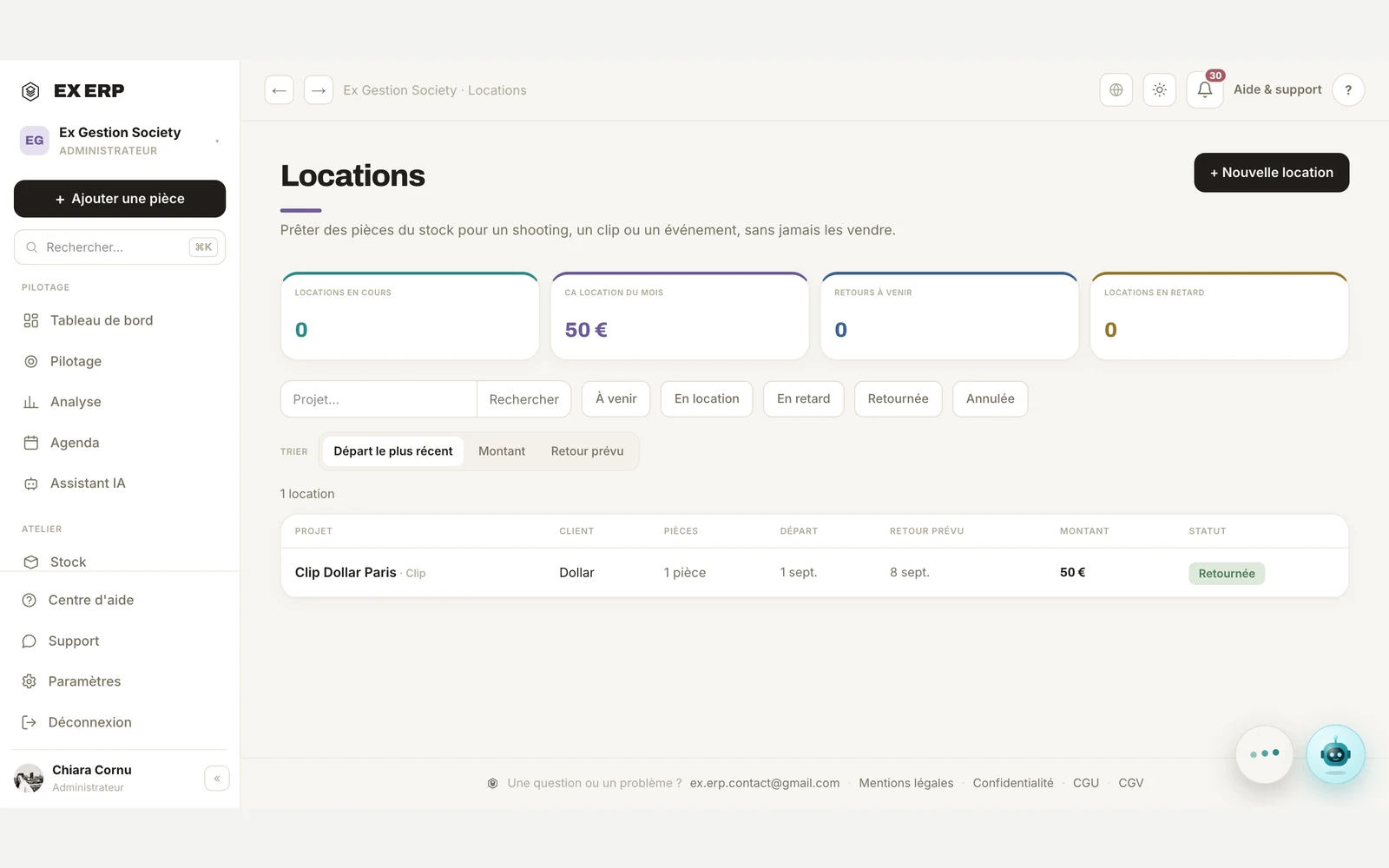
What each block is for
1
Handover and return
Each item switches to « On loan » at handover, then returns to exactly its previous status when it comes back.
Why
So you never lose track of what's actually available in stock.
When to use it
At handover to the client, then at the return of each item (one by one if needed).
Best practice · Returns can be done item by item — a rental with several items doesn't wait for everything to come back at once.
2
Date overlap
An item already booked for a period can't be added to a new rental that overlaps those dates.
Why
To avoid promising the same item to two different clients at once.
When to use it
Checked automatically whenever a rental is created.
Best practice · An item returned early becomes immediately available for a new rental.
3
Rental revenue, kept separate from sales
Revenue generated by rentals is tracked on its own, never blended into sales revenue.
Why
A rental isn't a sale — it must never distort the number of sales or the average basket.
When to use it
Visible live on the Rentals page and in Analytics' dedicated section.
Best practice · The Dashboard's monthly revenue adds both together for an overall view, but each detail stays available separately.
Related topics