Full guide
Messaging
Collaborate without leaving the ERP (Multiple plan).
Real screenshot
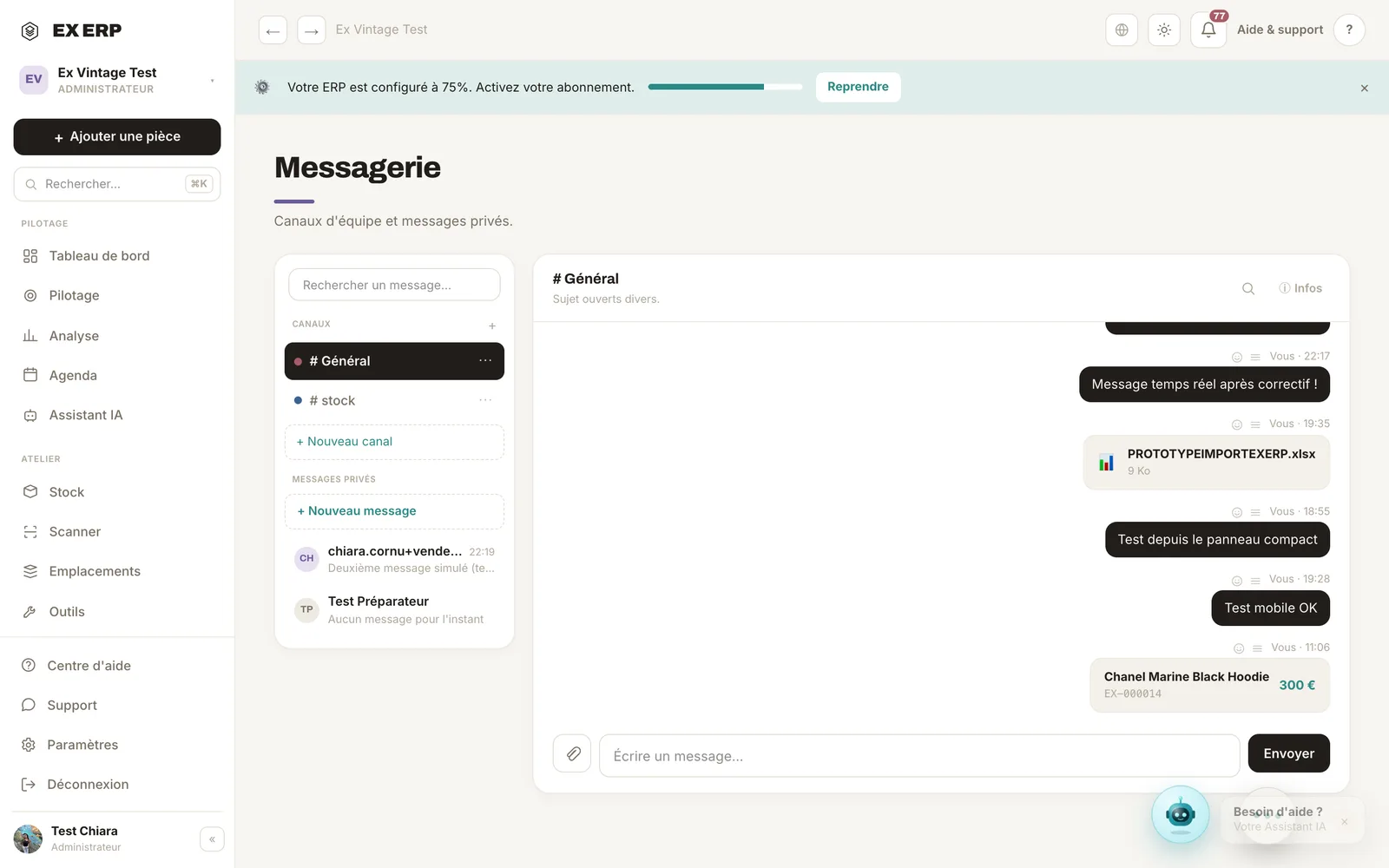
What each block is for
1
Team channels
Stock, Sales, Pop-up, General… fully customizable.
Why
Centralize discussions by topic, without leaving the ERP.
When to use it
For day-to-day team communication (Multiple plan).
Best practice · Describe each channel so everyone knows where to post.
2
Private messages
One-on-one conversations, separate from channels.
Why
For a direct exchange with a teammate.
When to use it
When the topic only concerns one person.
Best practice · The colored dot flags unread messages.
3
Thread & ERP cards
@mentions, PDF/CSV files and clickable product/sale/return cards.
Why
Share an ERP item without copy-pasting: the card opens the record.
When to use it
To collaborate around a specific item.
Best practice · From a record, "Share" sends the card into the conversation.
Related topics